Clinical documentation for therapists
Turn session recordings into clinical notes you can review and approve.
Record with consent, check the transcript, and edit the SOAP draft. Keep notes, clients, and appointments in one workspace.
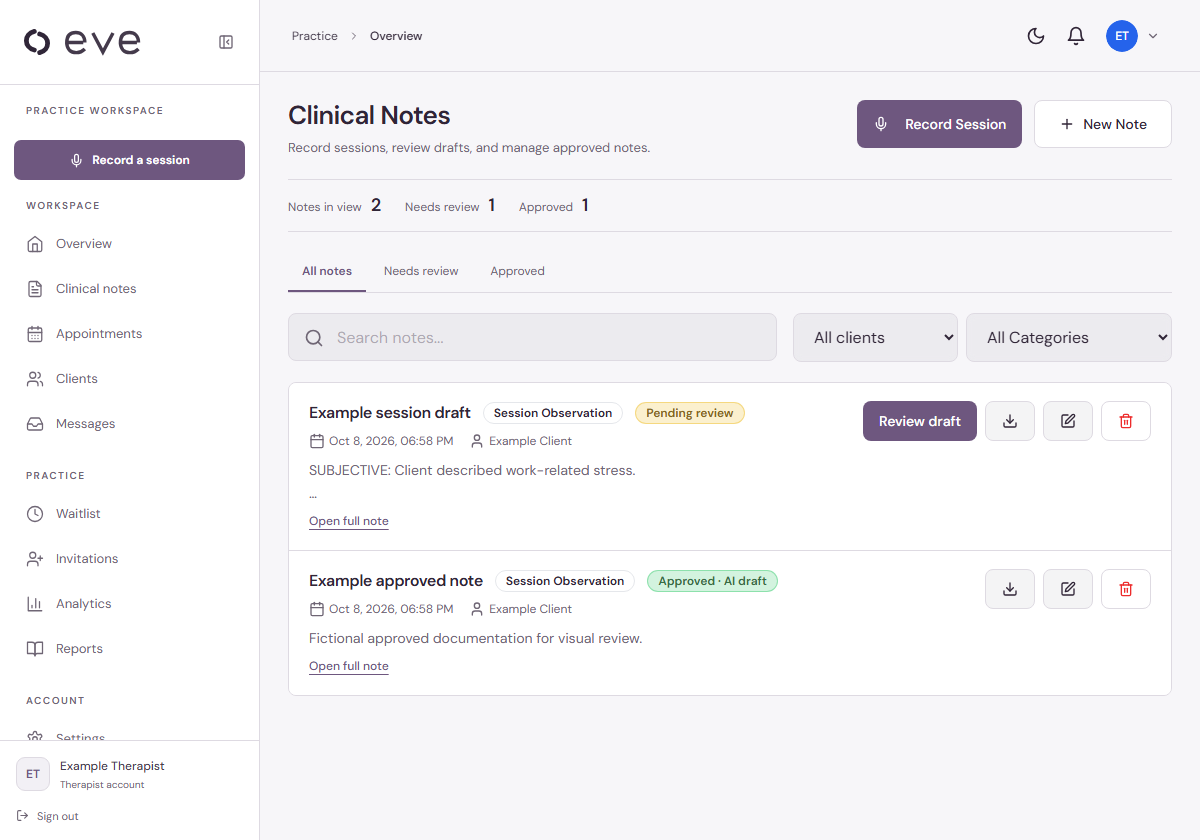
Filter notes by status or client. Open a draft to review, or export an approved note.
Fictional demo records. Click the screen to enlarge.From recording to approved note.
Three steps, with your review before the note is approved.
- 01
Record with consent
Select a client, confirm consent, and record the session. Eve creates a transcript.
- 02
Check and edit
Correct the transcript and generate a SOAP draft. Edit the note to reflect your clinical assessment.
- 03
Approve and export
Save your reviewed edits, approve the note, and export a PDF for your existing workflow.
What happens to session data?
Review the processing details before using real patient information.
External AI services
Transcription and note drafting use external AI providers, including OpenAI. Optional patient voice features use additional providers.
Read the privacy policy ↗Therapist review is required
Generated notes can contain errors. Check the transcript and draft, correct inaccuracies, and approve the note yourself.
Check your practice requirements
Confirm provider terms, storage locations, retention, and consent requirements before submitting patient data.
Ask a data-handling question ↗One plan for your own practice.
Try the recording and note review workflow with fictional material first. You can start with documentation and PDF exports without moving your entire practice.
Need a multi-therapist plan? Contact us.
Solo practice
14 days free$49/ month after trial
- 1 therapist · up to 20 active clients
- Session recording and transcription
- Editable SOAP drafts and approval
- PDF note exports
- Client organization and appointments
Card required at activation. Cancel before the trial ends to avoid a subscription charge.
Before you sign up
Do I need patient data to see the app?
No. The screens above show the actual Eve interface using fictional demo records. Viewing these screenshots does not send an AI request.
Does Eve integrate with my EHR?
Eve exports notes as PDFs. We do not claim automatic integration with your current EHR.
What happens after the trial?
The Solo plan renews at $49/month after 14 days. A card is required at activation. Cancel before the trial ends to avoid a charge.